For engineering teams

Under the hood

Docker-based players, API-first SaaS, MCP for AI integration โ€” everything your engineering team needs for evaluation.

SaaS platform

media-player.app is a fully managed cloud service. No server to run, no installation, no maintenance. You focus on your content โ€” we handle the infrastructure.

Hosted & managed

No on-premise server needed โ€” SaaS from the cloud
Automatic platform updates and maintenance
Multi-tenant: your data is strictly isolated
EU hosting, GDPR compliant
99.9% API and dashboard availability
No database or web server to manage

Docker as runtime

Player software runs as Docker containers
Works on any Linux with Docker (arm64 + amd64)
Raspberry Pi, Intel NUC, Mini-PC, Cloud VM, Thin Client
No special OS needed โ€” standard Docker installation is enough
Container images distributed via private registry
3-container architecture: Agent, Playback, Heartbeat

Architecture

Each display is powered by three isolated Docker containers. Runs on any Linux system with Docker โ€” from Raspberry Pi to x86 servers. Clear responsibilities, independently scalable, and individually updatable.
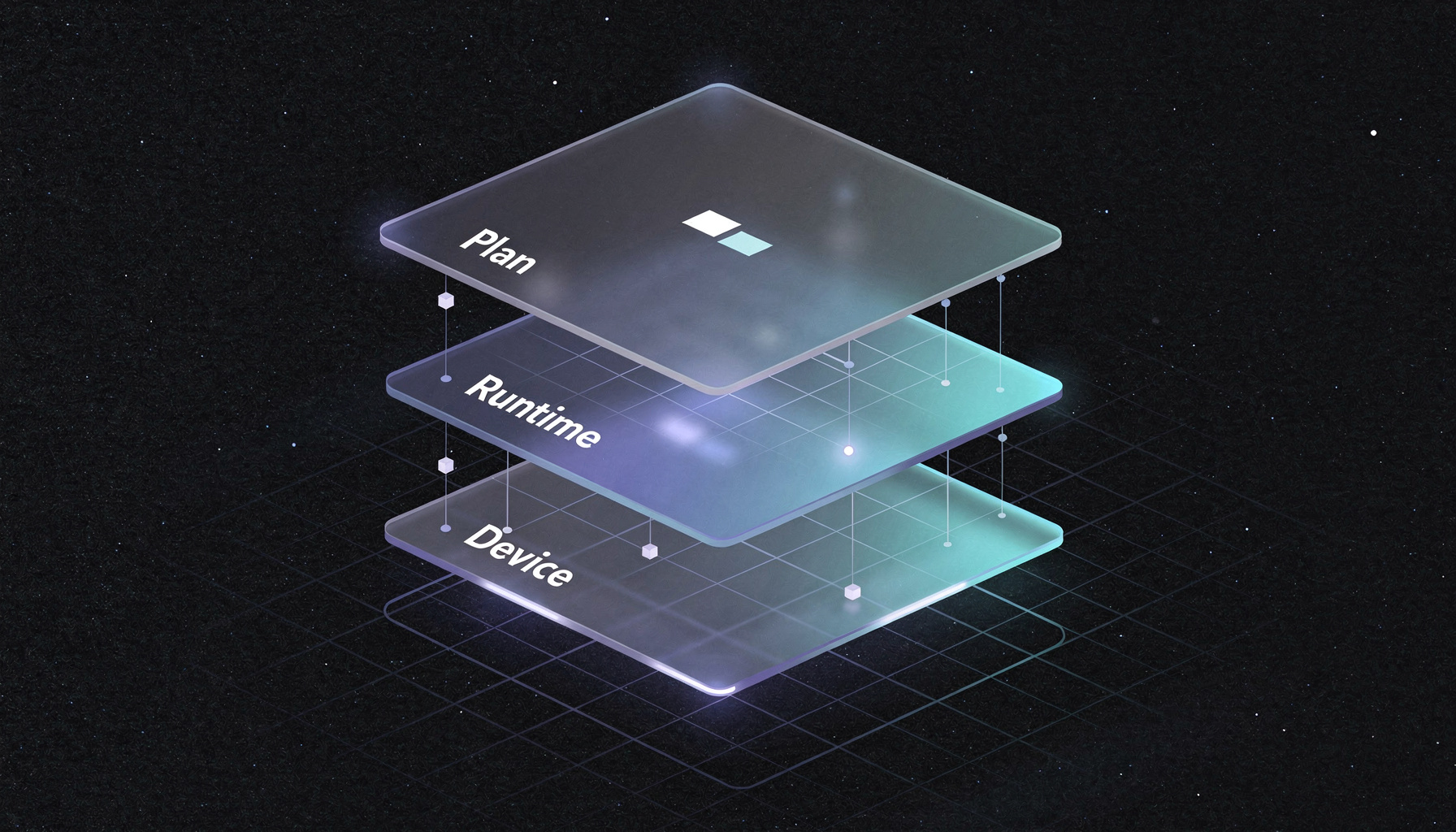
Agent

Control plane

Device registration, token management, content downloading, and playlist scheduling. Provides a local API on port 7071 to control the playback container.

GoREST APISHA256Plan Sync

Playback

Playback plane

Unified local API on port 7070. Uses mpv for hardware-accelerated video (DRM/KMS) and Chromium in kiosk mode for web content. Manages transitions between items.

mpvChromiumDRM/KMSVAAPI

Heartbeat

Monitoring

Sends regular health reports to the backend: CPU temperature, load, memory, disk. Implements watchdog logic for automatic container restarts.

Health ReportsWatchdogAuto-Recovery

Storage architecture

All write-intensive operations on Docker volumes (protects SD card)
/var/lib/signage/config/ โ€” Device configuration and tokens
/var/lib/signage/content/ โ€” Media assets, indexed by SHA256
/var/lib/signage/state/ โ€” State and health JSON
/var/lib/signage/cache/ โ€” Temporary downloads
/var/lib/signage/db/ โ€” Optional SQLite queue

Update mechanism

Container image updates via Docker Registry
Health check after update, automatic rollback on failure
Lockfile-based rescue mechanism
No reboot needed โ€” rolling container replacement
Offline queue for pending updates during network outage

Supported hardware

The player software is Docker-based and runs on any Linux system with Docker. Optimized for ARM64 (Raspberry Pi) and AMD64 (x86 servers, mini PCs). Support for commercial SoC displays is planned.

Raspberry Pi 5

Recommended
BCM2712, Quad-Core Cortex-A76 @ 2.4 GHz
4 GB or 8 GB LPDDR4X-4267
VideoCore VII GPU โ€” H.265 4K60 hardware decode
2x Micro-HDMI 2.1 (up to 4Kp60)
MicroSD (A2) or NVMe via HAT
5V/5A USB-C power supply
Recommended: passive heatsink or case with fan

Raspberry Pi 4

Supported
BCM2711, Quad-Core Cortex-A72 @ 1.8 GHz
2 GB, 4 GB, or 8 GB LPDDR4-3200
VideoCore VI GPU โ€” H.265 4K30 hardware decode
2x Micro-HDMI 2.0 (4Kp30 or 1080p60)
MicroSD (A2 recommended)
5V/3A USB-C power supply
Passive heatsink sufficient

Linux x86 / Mini-PC

Supported
Any x86_64 Linux with Docker (Ubuntu, Debian, Alpine, ...)
Intel NUC, Lenovo ThinkCentre, Dell OptiPlex Micro, etc.
GPU acceleration via VAAPI (Intel/AMD)
HDMI, DisplayPort, or VGA output
Min. 2 GB RAM, 8 GB storage
Ethernet or WiFi
Ideal for locations with existing x86 hardware

Commercial Display SoC

Planned
Philips/PPDS (Android SoC), Samsung (Tizen/SSSP), LG (webOS), Sony BRAVIA
Built-in SoC in the display โ€” no external hardware required
Native fullscreen player in kiosk / lock-task mode
Central management via the same dashboard
Ideal for large-scale rollouts with commercial displays
Proof of play reporting like all platforms
Separate runtime per manufacturer ecosystem

Playback engine

Hybrid playback: mpv for video and images with hardware acceleration via DRM/KMS/VAAPI, Chromium for web content in kiosk mode. The agent container controls playback through a local REST API.

mpv โ€” Video & images

Hardware-accelerated decoding via V4L2 M2M (Raspberry Pi) or VAAPI (x86). Framebuffer output via DRM/KMS for minimal latency, without X11 or Wayland.

DRM/KMS direct output (no display server needed)
V4L2 M2M hardware decode on Pi 4/5
Supports rotation: 0ยฐ, 90ยฐ, 180ยฐ, 270ยฐ
Transitions: Fade, Slide-Left, Slide-Right, Cut
Configurable display duration per item
Loop mode for single videos and playlists

Chromium โ€” Web content

Headless Chromium in kiosk mode for HTML pages, dashboards, and interactive content. Controlled via Chrome DevTools Protocol (CDP).

Kiosk mode: frameless, no UI chrome
CDP control for navigation and screenshots
Full JavaScript and CSS support
Local HTML files and external URLs
Automatic fallback on CDP connection failure
Exponential backoff on connection issues
FormatCodec / DecoderHW Acceleration
H.264 / AVCh264_v4l2m2mโœ“ Hardware
H.265 / HEVChevc_v4l2m2mโœ“ Hardware
VP9vp9_v4l2m2mโœ“ Hardware
AV1av1 (SW)โ€” CPU
JPEG / PNGGPU decodeโœ“ Hardware
HTML / CSS / JSChromiumโ€” CPU

Content pipeline

From upload to playback: every file is verified, versioned, and atomically synced to players. The player always runs a consistent state โ€” never a partial download.

Upload & versioning

Drag & drop upload via SaaS dashboard
Automatic MIME type detection
Versioning: each upload creates a new version
Previous versions are preserved (rollback possible)
SHA256 hash computed on upload

Verification & storage

Content-addressable storage: files indexed by SHA256
Deduplication: identical files stored only once
Integrity check before activation on player
Corrupt downloads are automatically retried

Plan sync & activation

Plan = versioned snapshot: playlists + media + schedules
Atomic activation: all or nothing, no intermediate state
Differential download: only changed files
Offline-capable: last valid plan stays active
ISO timestamp-based versioning

Security

Multi-tenant isolation, encrypted communication, and token-based authentication. No device has access to another tenant's data.

Authentication

Token-based API authentication (Bearer Tokens)
Separate token scopes for dashboard, player, and automation
Token rotation for device tokens
Rate limiting on all API endpoints

Tenant isolation

Strict separation at database level (tenant_id on every table)
Middleware-based scope enforcement
No cross-tenant access possible at API level
Separate media library and config per tenant

Device security

8-digit pairing code with TTL (expires after 15 min)
Device token issued after successful pairing
Device-ID binding: token bound to specific device
Automatic lockout on repeated failures

Transport security

HTTPS/TLS for all API communication
SHA256 checksum for every content download
No unencrypted connections in production
CORS configuration restricted to allowed origins

REST API

The entire platform is API-first. Everything the dashboard can do, you can automate via the REST API. OpenAPI documentation included.

API endpoints (excerpt)
# Retrieve players
GET /api/v1/players
GET /api/v1/players/{id}
GET /api/v1/players/{id}/health

# Create content
POST /api/v1/media-items
POST /api/v1/playlists
POST /api/v1/channels

# Assignments
PUT /api/v1/playlists/{id}/items
PUT /api/v1/channels/{id}/playlists

# Authentication
Authorization: Bearer {token}
X-Tenant-ID: {tenant_id}
Content-Type: application/json

RESTful JSON API

Consistent resource structure, HTTP verbs, standard status codes. JSON request/response.

OpenAPI 3.1 Docs

Auto-generated interactive API documentation. Test endpoints directly in the browser.

Cursor pagination

Efficient pagination for large datasets. Filtering, sorting, and search on all list endpoints.

MCP โ€” AI integration

media-player.app implements the Model Context Protocol (MCP) as a first-class integration surface. Beyond the REST API, AI agents, n8n workflows, and LangChain pipelines can control the platform directly.

What is MCP?

The Model Context Protocol is an open standard for communication between AI agents and external systems. Instead of a proprietary API, any AI-capable client (Claude, GPT, custom LLMs) can control the platform via tools, resources, and prompts.

MCP Tools

Read-only: player status, fleet overview, active plans, heartbeats, error logs
Diagnostics: request screenshots, create log bundles, playout reports
Operational: assign channels, publish plans, change settings (scope-gated)
Reporting: aggregated proof-of-play queries

Use cases

AI-powered support bot: diagnosis and troubleshooting via chat
n8n / Make.com: automated workflows (e.g., new content โ†’ update playlist)
LangChain / CrewAI: AI agents that manage your signage fleet
Custom dashboards: MCP as a universal data interface

Security

Scoped automation tokens โ€” granular permissions per integration
Approval mode for critical operations (reboot, update)
Tamper-proof audit log for every MCP tool call
Strict JSON schema validation, no arbitrary execution
Rate limits per token and tenant

Monitoring & telemetry

Each display sends health data to the backend at configurable intervals. The heartbeat container collects system metrics and playout events.

MetricSource
CPU Temperature/sys/class/thermal
CPU Load/proc/loadavg
Memory Usage/proc/meminfo
Disk Usagestatvfs()
Network LatencyAPI ping
Playout EventsPlayback Engine
Container StatusDocker API
Display StateHDMI / CEC

Network requirements

Players need an outbound internet connection. No inbound ports need to be opened โ€” the player connects to the backend, not the other way around.

Outbound connections

HTTPS (443) โ†’ api.media-player.app (API, heartbeat)
HTTPS (443) โ†’ registry.media-player.app (container images)
HTTPS (443) โ†’ cdn.media-player.app (content downloads)
DNS (53) โ†’ Any DNS resolver
NTP (123) โ†’ Time sync (recommended)

Bandwidth & offline

Initial sync: depends on content size (one-time)
Ongoing: < 1 MB/day for heartbeats and API calls
Content is cached locally, plays offline
Differential sync: only changed files
Recommendation: 10 Mbps for smooth initial download

At a glance

SaaS Platform

Cloud-hostedMulti-TenantREST APIOpenAPI 3.1MCP

Player Runtime

DockerGompvChromiumAlpine Linux

Platforms

Raspberry Pi 4/5Linux x86_64ARM64AMD64

Integration

REST APIMCPWebhooksn8nLangChain

Monitoring

Heartbeat AgentHealth APIPlayout EventsWatchdog

Security

HTTPS/TLSToken AuthTenant IsolationAudit LogGDPR

Convinced?

Try media-player.app for free or check out the API documentation.

We only use your email to notify you about the launch. No spam.

API Documentation